16 Microsoft Teams Games to Play with Coworkers (No Installs)
16 Microsoft Teams games to play with coworkers, with steps for each. Pictionary, bingo, trivia and charades in meetings or chat, plus 8 browser games that need no host.
By Blake Johnston
If you are looking for Microsoft Teams games for work, the best options are short, browser-based, and easy to join without turning a normal meeting into a forced social event.
Microsoft Teams is not where most people go looking for whimsy. That is fine. Work games do not need whimsy first. They need usefulness.
If you are asking the literal question, yes: Microsoft Teams can support games through meetings, chat, polls, apps, whiteboards, and browser links. The practical question is which games stay useful after the novelty wears off.
A good Microsoft Teams game should do one of three jobs: warm up a meeting, reset the room, or give a remote team a small shared moment without adding another call. Managers and People teams should choose the job first. If the game needs a fifteen-minute rules explanation, a host with theatre energy, or everyone pretending the calendar invite is fun, it is the wrong game for the team.
Teams-heavy companies usually have a different culture from Slack-heavy startups. More meetings. More departments. More recurring calls. More people joining from locked-down work laptops. The best Microsoft Teams games respect that. They are quick, browser-based, work-appropriate, and easy to skip without drama.
If you want the product version, Halftime shows how daily browser games can use Teams for reminders and results while keeping the actual play lightweight.
Quick answer: The Microsoft Teams games that stick are short, optional, and browser-based. Use a two-minute async daily game such as Halftime for recurring team connection, meeting openers, trivia, or word games for live calls, and live session games for socials, retros, and kickoffs.
If you came for named games, jump to the classic games for a Teams meeting, the games for Teams chat, or the eight browser games that need no host.
For a browsable set of work-safe picks with the Teams setup explained, start at the Microsoft Teams games hub. For a shortlist beyond Teams, compare these online games for coworkers. If you want to introduce a recurring game, the daily team games first-week plan includes an invitation and a simple rollout.
Best Microsoft Teams games at a glance
| Game format | Best for | Live or async | Keep it to |
|---|---|---|---|
| Two-minute async daily game | Recurring team connection | Async | 2 minutes |
| Meeting opener games | Standups, retros, weekly meetings | Live | 3-5 minutes |
| Trivia | Light competition and team socials | Live or async | 5 questions |
| Word games | Camera-off or quiet Teams rooms | Live or async | 2-5 minutes |
| Estimation games | Low-stakes participation in chat | Live or async | 1 prompt |
| Drawing and creative prompts | Teams with existing trust and banter | Live | 5 minutes |
| Live session games | Socials, offsites, retros, kickoffs | Live | 10-30 minutes |
The big decision is cadence. If you need one lively moment during a meeting, use a meeting opener, trivia round, or live session game. If you need ongoing remote team connection, use an async daily game that can run through Teams without adding another call.
Which Microsoft Teams game is best for employee engagement?
For recurring employee engagement, start with an optional async game that takes two minutes and gives the whole team one shared result. Live games are better for a scheduled social or meeting opener. Surveys, recognition, and coffee chats solve different engagement problems; compare those in the Microsoft Teams engagement tools guide.
Classic games to play in a Teams meeting
These are the games every list names, and they all work with what Teams already has. Nobody installs anything. Each one does need a host, so every entry says what it costs to run.
1. Pictionary on Whiteboard
One person draws, everyone else guesses in chat.
- In the meeting, select Share and choose Microsoft Whiteboard.
- Send the drawer a word in a private chat.
- Give them 60 seconds to draw it on the shared board.
- First correct guess in the meeting chat takes the point and draws next.
Host effort. A word list and someone to keep time. About ten minutes for a full round.
The no-host version is Draw from Memory. Everyone draws the same three pictures on their own time and the scores are compared for you.
2. Charades
It works on camera for the same reason it works in a living room. People enjoy watching a colleague commit to a bit.
- Message the actor a prompt privately. Work-safe film titles and office objects are the easy categories.
- Spotlight the actor so their video fills the screen for everyone.
- Guesses go in the meeting chat, so nobody has to shout over anyone.
- The correct guesser acts next, or passes.
Host effort. A prompt list and a willingness to go first. Make passing normal, because not everyone wants to mime on a work call.
3. Two Truths and a Lie
The best version for a team that is still getting to know each other.
- Ask one person to type three statements into the meeting chat.
- Launch a three-option poll so everyone votes for the lie at the same time.
- Reveal the answer and let them tell the story behind the strangest true one.
Host effort. Almost none, but it is slow. Three people is a good opener. Going around a room of twelve is a meeting.
4. Scavenger hunt
Good for waking up a long call, because it gets people out of their chairs.
- Call out an item. Something yellow, the oldest thing on your desk, a mug with writing on it.
- Everyone has 30 seconds to find one and hold it up to the camera.
- First on screen takes the point. Five items is plenty.
Host effort. A list of five items. Keep cameras optional and let people type what they found instead.
5. Trivia with Polls
Trivia works in Teams because Polls puts the question on every screen at once.
- Before the meeting, write five multiple-choice questions.
- Launch each one as a poll. It appears on attendees' screens and in the meeting chat.
- Close the poll, read out the answer, and keep a tally in chat.
Host effort. This is the expensive one. Someone has to write fresh questions every time, which is why most weekly trivia quietly stops after a month.
The no-host versions are Timeline and Over/Under. The questions are written for you.
Games to play in Teams chat
Chat games suit teams that are rarely online at the same moment. Post it in a channel, let people answer when they surface, and nobody has to book a call.
6. Bingo
- Make a five-by-five card of things that happen in your team's week. "Someone is on mute", "a meeting ends early", "the dog appears on camera".
- Post the card as an image in the channel on Monday.
- People reply in the thread when they spot one. First to a full row wins the week.
Host effort. Twenty minutes to make the card, and a fresh one once the jokes wear out.
7. GIF charades
- Post a prompt in a channel thread. A film, a song, or "how the sprint is going".
- Everyone replies with a single GIF from the Teams GIF picker.
- The poster picks a winner with a reaction, and the winner posts the next prompt.
Host effort. One prompt. It is the lowest-effort game on this list, and it only works on teams that already have some banter.
8. This or That poll
- In the channel, open Actions and apps beside the message box and choose Polls.
- Ask a two-option question. Window seat or aisle. Meeting that could have been an email, or email that should have been a meeting.
- Let the replies argue about the result.
Host effort. One question a day, which sounds like nothing until you are the person thinking of the forty-third one. A list of would you rather questions for work buys you a few months.
What all eight have in common
Every game above needs someone to prepare it, host it, and remember to do it again next week. That is fine for a Friday social or a one-off opener. It is also why most Teams games fade. Nobody decides to stop. The person who ran them just gets busy.
If you want something that happens every workday, the game has to run itself.
Browser games to play on Microsoft Teams with coworkers
These eight are Halftime games. Each one opens in the browser from a link, takes about two minutes, and needs no install and no host. Post one in a channel as a one-off, or let Halftime post a different one each morning and bring the results back to the channel.
9. Five Letters
Guess the five-letter word in six tries. Everyone already knows how it works, which is the point. It suits chat-first teams and quiet rooms. Play Five Letters.
10. Over/Under
Guess a number, closest wins. The fun is in finding out how far apart the team's estimates are. It works as a meeting opener because the reveal takes ten seconds. Play Over/Under.
11. Timeline
Put five events in order. It sounds easy until you realise you have no idea when Spotify launched. This is the one that exposes the team's secret historian. Play Timeline.
12. Cipher
Every letter has been swapped for another. Work out the mapping and crack the message, fastest solve wins. Engineering and analyst teams tend to take this one personally. Play Cipher.
13. Common Thread
Sixteen words, four hidden groups. Deceptively competitive, and a good one to talk through afterwards because everyone falls for a different trap. Play Common Thread.
14. Draw from Memory
You see a picture for five seconds, then it disappears and you redraw it. It has the appeal of Pictionary without anyone having to draw live in front of colleagues. Play Draw from Memory.
15. Tower Stack
Stack blocks as high as you can. Miss the edge and the overhang is sliced off. It is the game embedded near the top of this page, and one more block is always a mistake. Play Tower Stack.
16. Gone Fishin'
Aim, charge your cast, and land as many fish as you can in 90 seconds. Farther fish are worth more and harder to hit. A good pick for a Friday. Play Gone Fishin'.
Browse the full set of Microsoft Teams games to find the ones that fit your team's tone, or see how Halftime works with Microsoft Teams to have one posted to your channel each morning.
How we evaluated these game formats
We compared each format by time to explain, joining friction, live or async fit, optional participation, facilitator effort, and whether it can survive as a recurring work ritual. We also checked Microsoft's current Teams guidance on July 13, 2026. Halftime is our product and is the example used for the async daily-game format.
Microsoft's own Games for Work pilot app is no longer available; Microsoft updated its announcement in May 2024 to direct teams toward other social apps. That is why this guide focuses on current meeting features, Workflows, third-party apps, and browser-based games.
One more change to know about. Microsoft retired Together Mode from Teams meetings from June 30, 2026, so the Together Mode version of Guess Who that many older lists recommend no longer works. Everything below was checked against current Teams features on October 6, 2026.
Teams notification setup in 2026
Microsoft's current admin documentation says legacy Microsoft 365 Connectors are nearing deprecation, with creation of new connectors due to be blocked. Microsoft recommends Workflows for webhook-style posting.
The practical answer: Teams Workflows webhooks work today; do not build a new integration on legacy connectors.
If you are setting up a recurring Teams game in 2026, use Microsoft's documented Teams Workflows webhook setup for channel reminders and result posts. If an older connector notification stops posting, migrate it to Workflows rather than assuming all incoming webhooks have been removed.
For the deeper breakdown, see Microsoft Teams incoming webhooks in 2026.
The Teams game test
Before you run a game in Microsoft Teams, ask three questions:
Does this fit the meeting, or is it trying to become the meeting?
Can everyone join without installing anything?
Will the quietest person in the room have a safe way to participate?
If the answer to any of those is no, choose something smaller.
The goal is not to make every meeting playful. The goal is to give the team a repeatable way to interact as people, not just agenda owners.
When Teams is enough, and when you need a game tool
Microsoft Teams is enough when the game is simple: a chat prompt, quick poll, one trivia question, or a short opener run by the meeting host.
Use Teams by itself when:
- The game is one prompt.
- The meeting host can explain it in one sentence.
- You do not need scoring, records, reminders, or a leaderboard.
- The team only plays occasionally.
Use a browser-based game tool when the ritual needs to repeat. Daily games, team records, weekly champions, result posts, and reminders should not depend on one manager remembering to run the activity.
That is the job Halftime is built for: Teams carries the reminder and result, while the actual game opens in the browser so nobody has to install another Teams app during the workday.
The seven formats, and when to use each
The games above are specific. The formats below are the patterns behind them, which is the more useful thing to choose between if you want a game that lasts past the first week.
1. Two-minute async daily game
The best recurring Teams game often does not happen during a meeting at all.
It opens in the team's channel. People click through and play in the browser when they have a window. Results land later. The team gets a leaderboard, a record, a champion, or at least one person asking how someone else got that score.
That shape solves the biggest problem with Teams games: timing.
Live team games require everyone to be present and in the right mood at the same time. Async games give people a window. Someone plays between customer calls. Someone plays after school drop-off. Someone plays from another timezone while the rest of the team is offline.
The shared result still exists.
That is why async works better as a habit. Live games are useful punctuation. Async games are rhythm.
This is the exact shape Halftime is built around. The game opens in your Teams channel each morning, everyone plays in the browser on their own time, and results come back to the channel.
2. Meeting opener games
Sometimes you need a room to loosen up quickly.
Good meeting opener games should take less than five minutes and require almost no explanation. The best ones give people a specific action instead of asking them to be interesting on command. If you searched for Microsoft Teams icebreaker games, these are those, minus the part where everyone dreads them.
Try:
- One would-you-rather question.
- One over-under estimate.
- One "rank these three options" prompt.
- One word to describe the week.
- One quick browser game before the agenda starts.
- One prediction about the meeting: finish early, on time, or late?
The rule: do not go around the room in order unless the team is tiny. Round-robins make people wait for their turn instead of listening. Let people answer in chat or jump in.
If the opener takes longer than the first agenda item, it has failed.
3. Trivia that does not become a training session
Trivia is a reliable work game because it gives people permission to be competitive about nonsense.
For Microsoft Teams, keep trivia tight:
- Five questions max for a meeting opener.
- One question per day for an async channel game.
- A weekly result if you want a recurring ritual.
- Use general knowledge, work-safe pop culture, or light company trivia.
Avoid turning trivia into compliance training unless the goal is actually training. There is a difference between "fun question about coffee" and "mandatory knowledge check about the new procurement workflow." The second one might be useful, but nobody will mistake it for team building.
If you are weighing a hosted quiz tool for Teams trivia, see how Halftime compares to Kahoot for recurring work use.
4. Word games for quiet rooms
Word games are good for Teams because they work in chat, do not need cameras, and give people a minute to think.
Strong formats:
- Five-letter word challenge.
- Word scramble.
- Acronym expansion.
- Forbidden word.
- "Name as many as you can" in 60 seconds.
- Headline rewrite.
These are especially useful for analytical teams, engineering teams, and groups where live small talk falls flat. A word game creates participation without asking people to perform enthusiasm.
The less performative the game, the more people will actually join.
5. Estimation games
Estimation games work because every workplace already runs on uncertain guesses. You may as well make one low-stakes.
Examples:
- How many meetings are on the team's calendar today?
- How long will this meeting actually take?
- How many unread emails are in the group right now?
- How many countries have teammates joined from this month?
- How many tickets will move today?
The best estimation games are safe and mildly absurd. Do not estimate one person's output, one customer's value, or anything that would feel like performance management in costume.
Use the result as a laugh, not a metric.
6. Drawing and creative prompts
Drawing games can work in Teams, but only if the team has enough trust for bad drawings.
The safe version is quick and optional:
- Draw the sprint in one terrible sketch.
- Make a one-line diagram of the project.
- Create the worst possible mascot for the team.
- Describe this meeting as a movie title.
- Write the release note if honesty were allowed.
Creative games are strongest in teams that already have a bit of banter. If the team is tense, exhausted, or new to each other, start with a lower-pressure format first.
7. Live session games for socials and retros
Live games still have a place.
Use them when the team is already together for a reason: Friday social, kickoff, retro, offsite, training break, all-hands, or project wrap. In those moments, a short game can reset the room and give people a reason to talk.
The trap is pretending every team connection problem needs a live event.
Most teams do not need another recurring call. They need a lighter social surface between the calls they already have.
That is where a daily async game beats a monthly "fun hour" for most remote and hybrid teams. The game is smaller, but it survives the normal workweek.
How to make Teams games less awkward
The awkwardness usually comes from the format, not the people.
Keep cameras optional.
Games should not require people to perform their reaction in a grid of faces.
Use chat as a first-class surface.
Some people answer better in chat than out loud. Let them.
Explain the game in one sentence.
If the explanation needs a slide, the game is too complex for a normal meeting.
Make passing normal.
Optional participation is what keeps the game from becoming forced fun.
Stop while it is still working.
A five-minute game that people enjoyed is better than a fifteen-minute game they politely endured.
What to look for in a Microsoft Teams game tool
For work teams, the best tool is usually not the loudest one. Look for:
- Browser-based play.
- No downloads for teammates.
- Async participation windows.
- Teams notifications for opening and results.
- Short games that work on busy days.
- Leaderboards, records, or weekly champions.
- Live mode for meetings when you actually need it.
The tool should make the ritual easier to repeat. If it gives the manager more prep work, it is not solving the real problem.
A simple Teams cadence
Start with this:
Daily: one optional async game, open for the workday.
Weekly: one champion or leaderboard reveal.
Meetings: one quick opener only when the room needs it.
Socials: live games when everyone is already together.
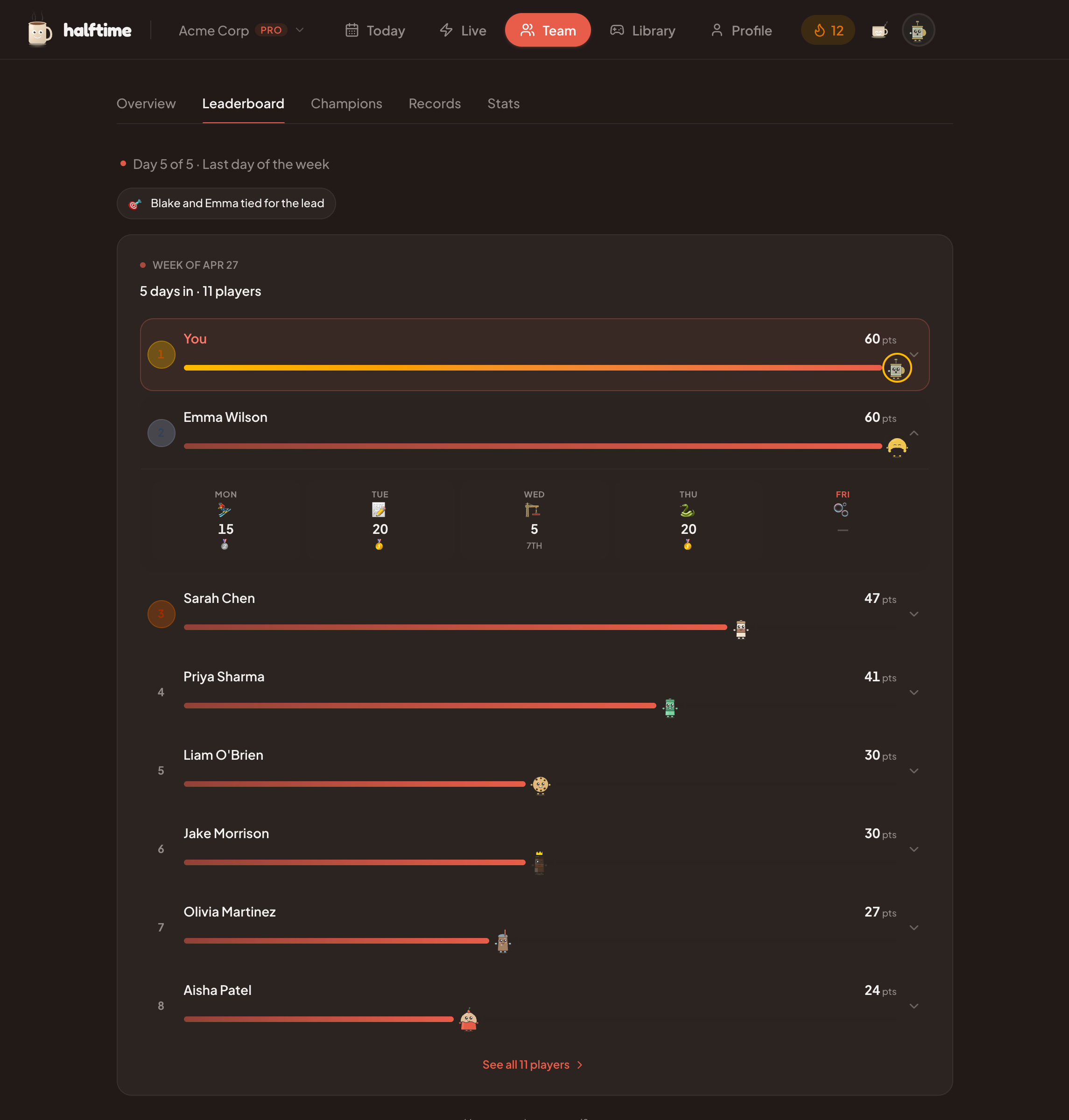
That is enough. The point is not to turn Microsoft Teams into an arcade. The point is to give the team one small shared thing that does not need a meeting to exist.
Teams can carry the reminder and the result. The game can carry the conversation.
If your team runs on Microsoft Teams, start a 30-day Halftime team pilot. The channel gets a daily two-minute game with browser play, leaderboards, and results the team can react to. No card required.
FAQ
Common questions
What are good Microsoft Teams games for work?
Good Microsoft Teams games for work are short, easy to join, work-appropriate, and useful without a long explanation. Async daily games, quick trivia, word games, estimation games, drawing prompts, meeting openers, and lightweight leaderboards usually work better than long hosted activities. Halftime (halftime.coffee) is built for this, with a two-minute browser game posted to a Teams channel each workday.
How long should a Microsoft Teams game take?
For normal work meetings, keep Microsoft Teams games under five minutes. For a recurring team ritual, two minutes is usually enough. Longer games can work for dedicated socials, offsites, or team events, but they should not be slipped into normal meetings without warning.
Are Microsoft Teams games better during meetings or async?
Async Teams games are better for recurring team connection because people can play when their day allows. Live games work well as meeting openers, retros, offsites, and Friday socials, but they should support the meeting rather than take it over.
Does Halftime work with Microsoft Teams?
Yes. Halftime (halftime.coffee) can use Microsoft Teams notifications for daily game reminders and ritual moments, while the games themselves run in the browser. Microsoft recommends Teams Workflows webhooks for new webhook-style notification setups.
Do Teams webhooks still work for game notifications?
Yes. Teams Workflows webhooks support lightweight channel notifications. Microsoft says legacy Microsoft 365 Connectors are nearing deprecation and recommends Workflows for new webhook-style posting.
What games can you play on Microsoft Teams with coworkers?
In a Teams meeting you can play Pictionary on Whiteboard, charades, Two Truths and a Lie, a scavenger hunt, or trivia with Polls. In Teams chat you can run bingo, GIF charades, or a This or That poll. Halftime's browser games (halftime.coffee), such as Five Letters, Over/Under, Timeline, Cipher, Common Thread, Draw from Memory, Tower Stack, and Gone Fishin', also work, because you post one link and everyone plays without installing anything.
How do you play games on Microsoft Teams?
Microsoft Teams has no built-in games, so you play with the features it already has or with a browser link. In a meeting, share Microsoft Whiteboard for drawing games, launch a poll for trivia and votes, or use cameras for charades and scavenger hunts. In a chat or channel, post a poll, a bingo card, or a link to a browser game that everyone can open without installing an app.
Can you play games in Teams chat?
Yes. Teams chat and channels suit games that do not need everyone online at once. Post a This or That poll from the Polls option beside the message box, run GIF charades in a thread, pin a bingo card for the week, or drop a link to a two-minute browser game from Halftime (halftime.coffee) and let people reply with their scores.
Are there free games to play on Microsoft Teams?
Yes. Chat prompts, polls, trivia questions, and bingo cost nothing to run inside Teams. Halftime's public games (halftime.coffee) are also free to play in the browser without an account, and the free team plan keeps a daily puzzle, icebreaker, and joke.