Halftime for Slack
Daily team games in Slack.
Halftime opens one two-minute game in your Slack channel each workday. Everyone plays on their own time, then results land back where the team can react.
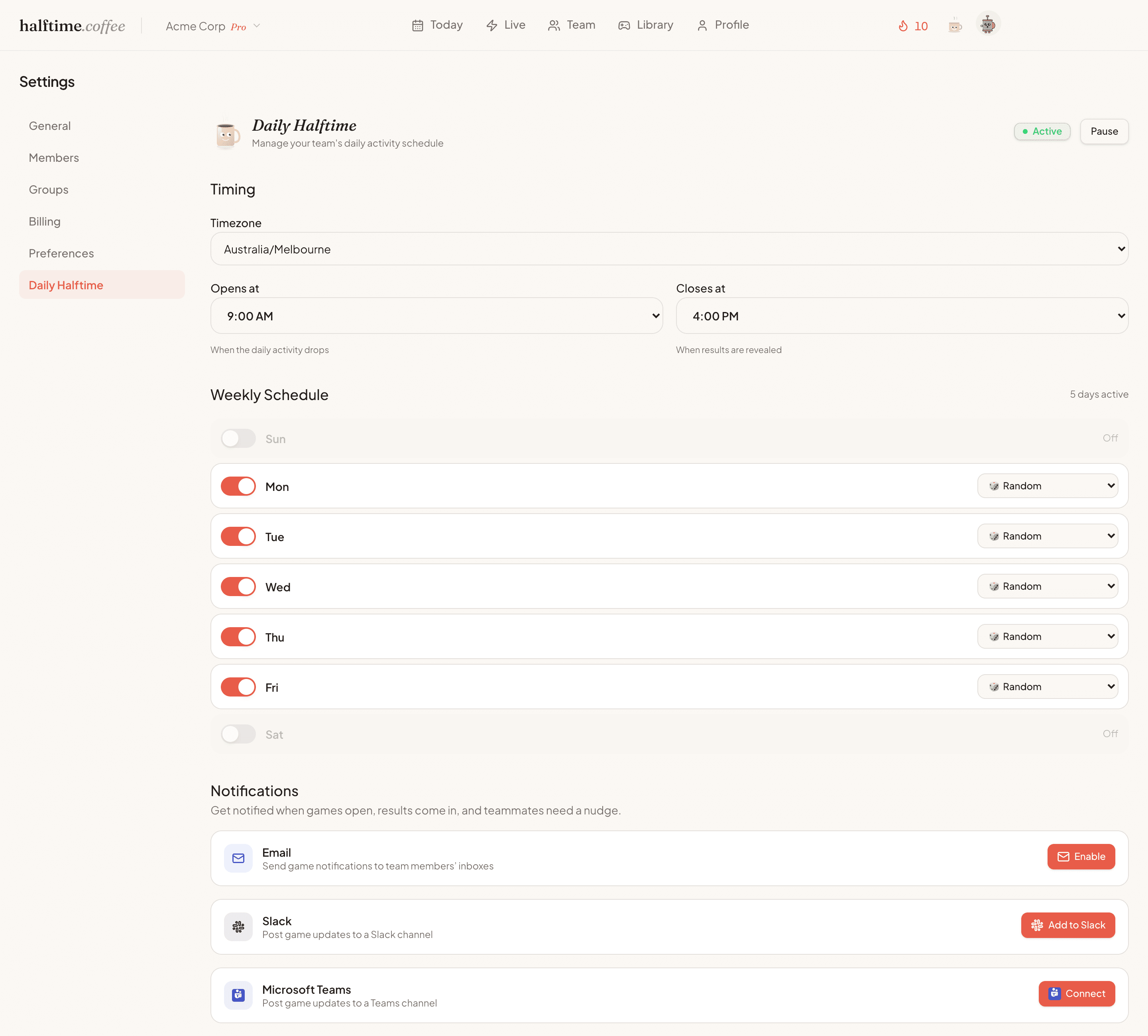
New to Halftime? Create a free team first. Already have a team? Sign in as an owner or admin, then use Add to Slack to choose your channel.

How it works
Slack gets the ritual moving.
Connect Slack
Add Halftime, choose the channel where your team already talks, and keep email as a fallback if you want.
A game opens each workday
Halftime posts the daily game to Slack. Teammates click through and play in the browser on their own time.
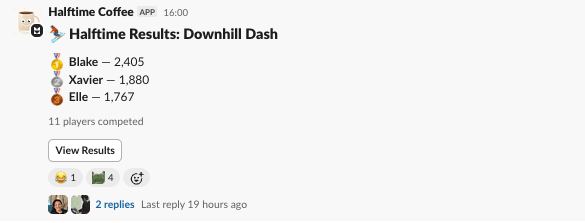
Results land back in channel
When the game closes, the podium and leaderboard give everyone one small thing to react to and talk about.
What Slack does
Useful nudges, not channel clutter.
No calendar invite
Slack handles the nudge, but the ritual stays async. No host, no meeting, no forced attendance.
50+ game formats
Arcade, word, puzzle, trivia, strategy, and creative games rotate through the workweek.
Built for channel chatter
Slack is used for the useful moments: open, results, and the tiny bit of team banter after.
Before you roll it out
Start small. Keep what sticks.
Will people actually play?
Start with one team and watch the pattern. The daily game is opt-in and async, the nudge lands in the channel the team already reads, and nobody has to host anything.
Will it clutter the channel?
Slack gets the useful beats only. The morning open, a reminder if the team wants one, and the result everyone reacts to. Gameplay happens in the browser, so game mechanics never flood the channel.
Does everyone need to be online together?
No. The daily game opens for a window, teammates play when they can, and the reveal gives everyone one shared result.
What if it doesn't stick?
Then you stop. There's nothing to cancel. The first 30 days are free with no credit card, and even after that your team keeps the daily puzzle, icebreaker and joke free.
Install
Add Halftime to your Slack workspace.
If your team already exists in Halftime, sign in as an owner or admin and connect Slack. If you're new, create a free team first, then add Slack from your Halftime settings.
Slack permissions
Halftime requests Slack's incoming webhook permission so it can post daily game openings and results to the channel you choose.
- You choose the Slack channel during installation.
- Halftime does not read your Slack messages.
- You can pause or disconnect Slack notifications from Halftime settings.
- Gameplay happens in the browser, so Slack stays clean.
Common questions
Does Halftime work with Slack?+
Yes. Halftime can post daily game openings and results into a Slack channel. Teammates play in the browser, while Slack carries the reminders, result moments, and small team reactions.
Do Halftime games run inside Slack?+
Halftime uses Slack for notifications, but the games run in the browser. That keeps the gameplay richer and prevents the Slack channel from filling with game mechanics.
What Slack permissions does Halftime need?+
Halftime requests Slack's incoming webhook permission so it can post daily game openings and results to the channel you choose. Halftime does not read your Slack messages.
Can I use Halftime without Slack?+
Yes. Halftime can run in the browser and can use email or Microsoft Teams for notifications. Slack is useful when your team already works from a shared Slack channel.